Fix the lag, not just the speed.
Clean-Fi checks your Wi-Fi, your router and your internet, shows you what's actually slowing things down, and fixes it in one click. Every change can be undone.
Free checkup and speed test. No account needed.
Speed tests tell you a number. Clean-Fi tells you why.
Most slowdowns aren't your plan's speed. They're lag spikes, a crowded channel, power saving or one device hogging the line.
Check
A 30-second checkup tests your signal, your router link, your internet and your DNS, plus a speed test that measures lag while the line is busy.
See what's wrong
Plain-English results like "your router's channel is crowded" or "calls lag when someone downloads", each with what to do about it.
Fix it in one click
Flip a switch to apply the fix. Clean-Fi saves your original setting first, so switching it off puts everything back exactly.
Calm, clear, and one click away.
No jargon walls or scary warnings: what's wrong, why it matters, and a switch to fix it.
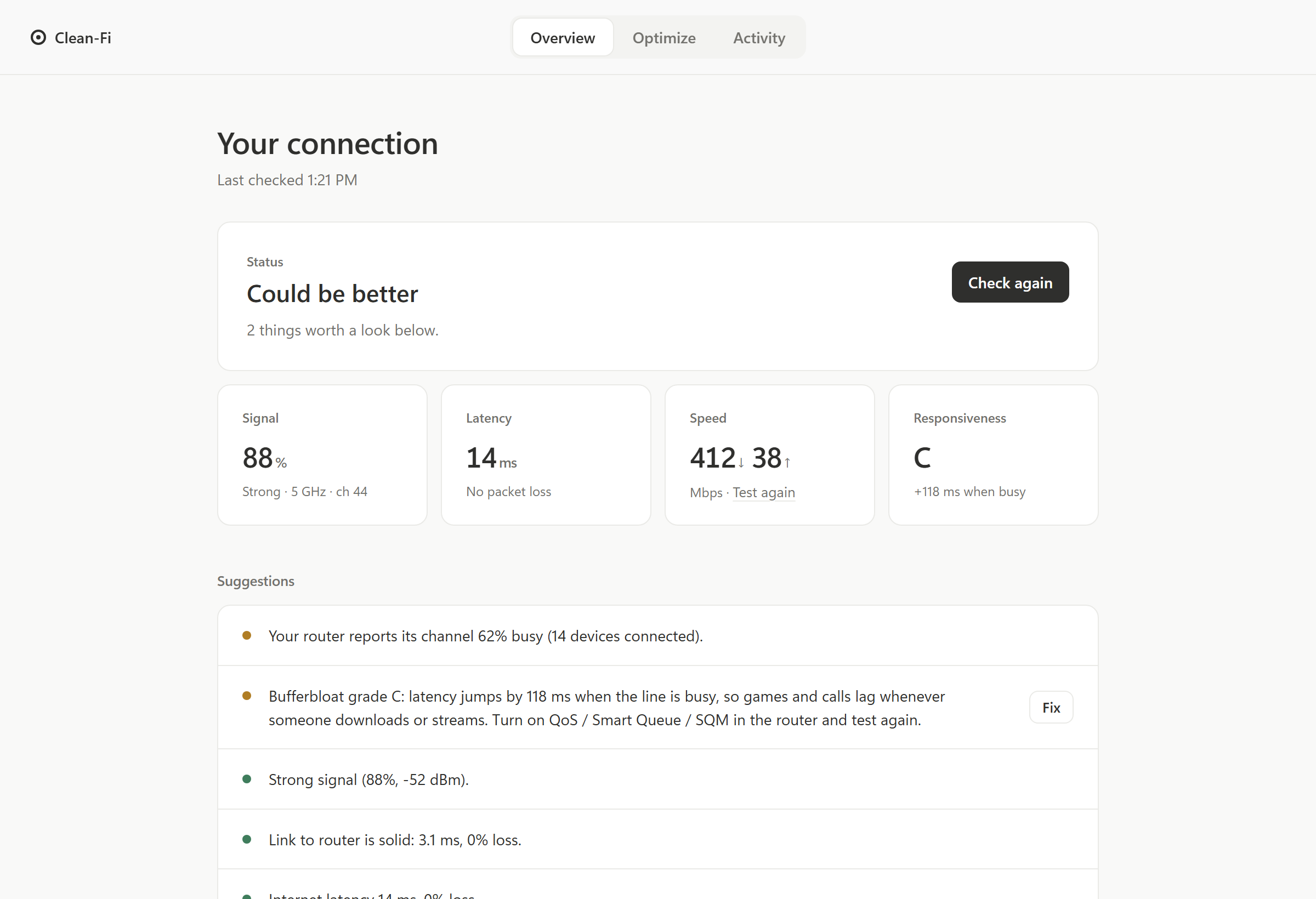
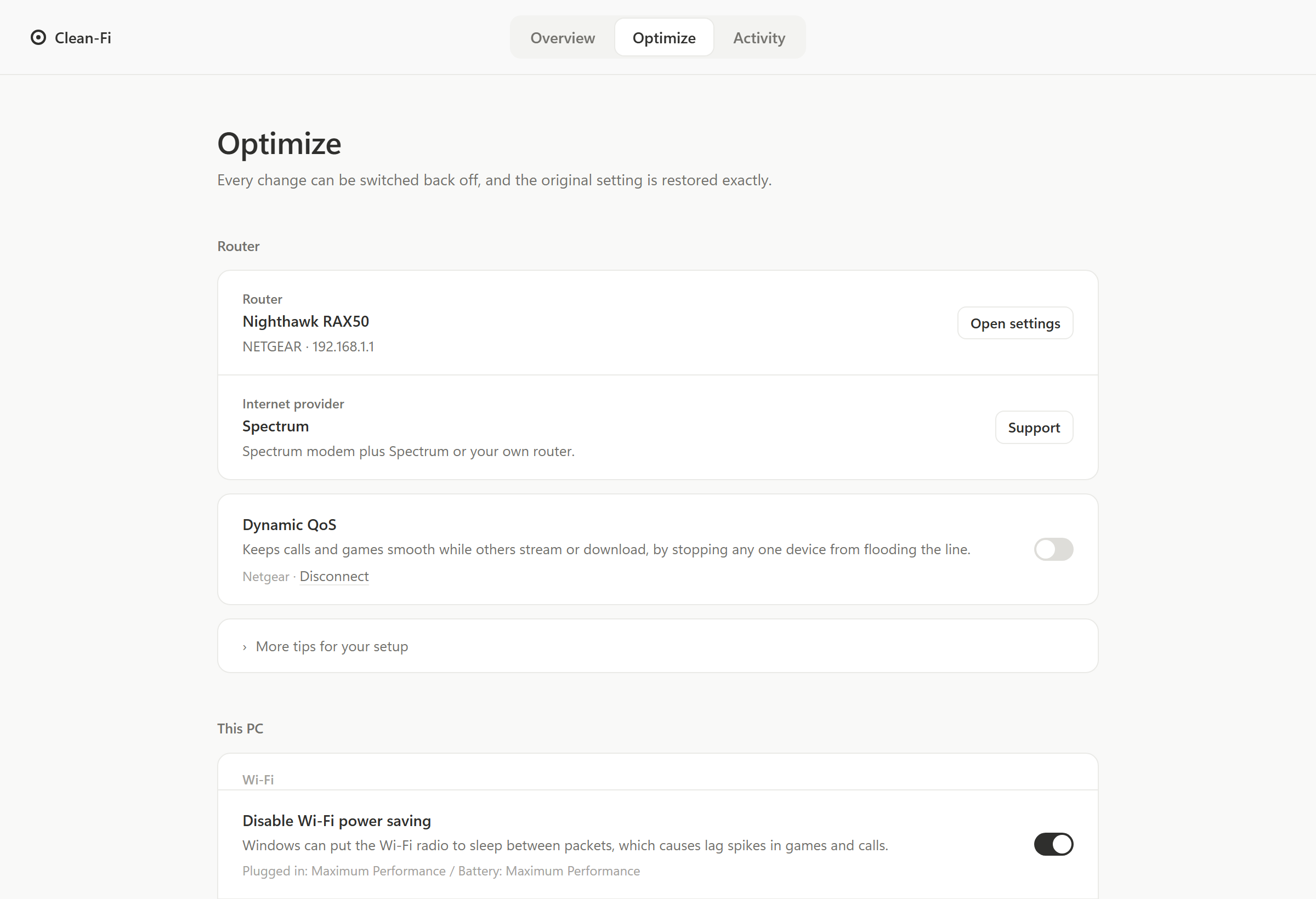
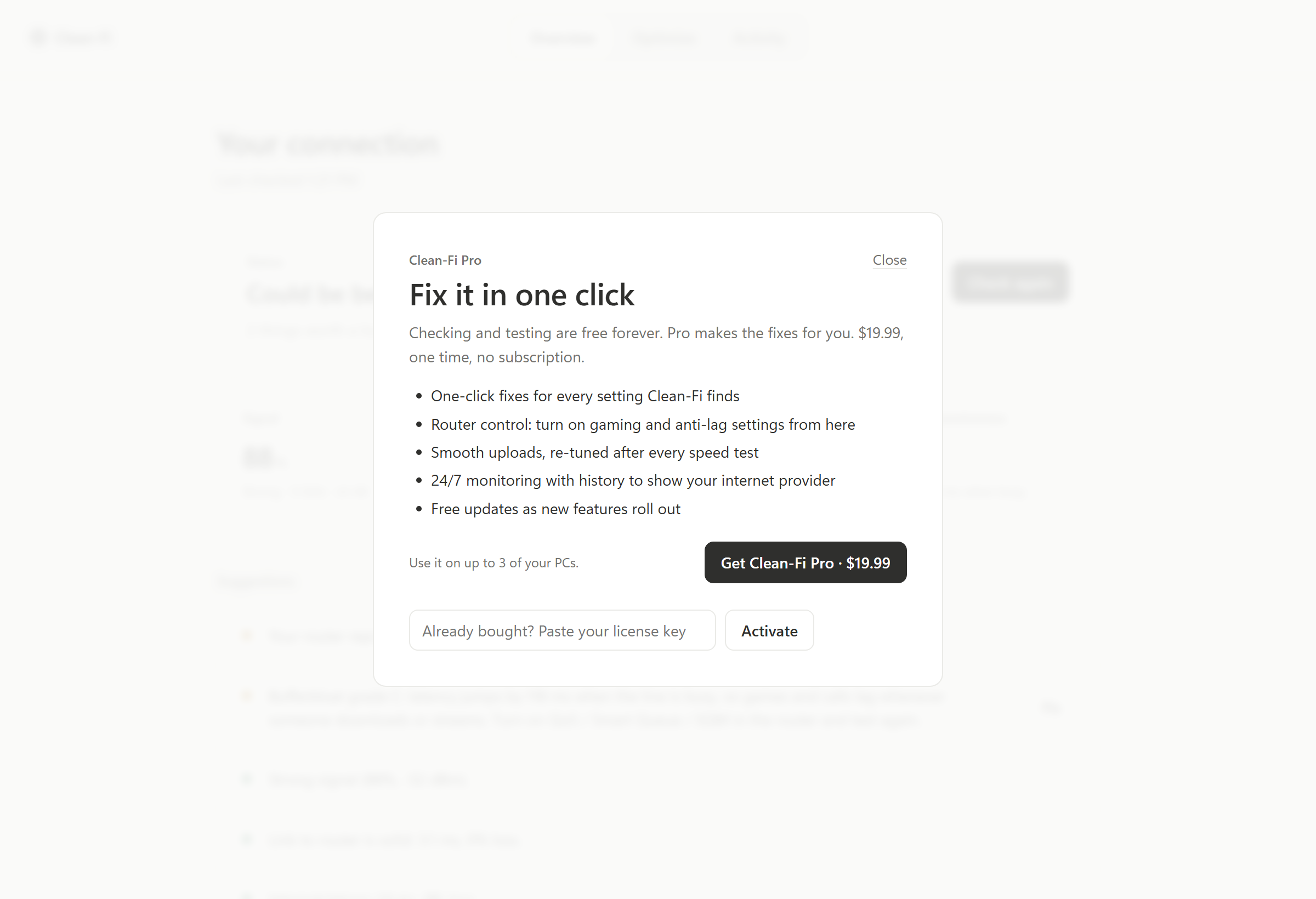
Screens show example results, not a real home network.
Everything between your PC and the internet.
Responsiveness grade
Measures "bufferbloat": how much lag your connection adds when it's busy. It's the hidden reason games and calls stutter.
Full checkup
Signal, channel crowding, router link, packet loss, DNS speed, Wi-Fi vs. Ethernet, cable speed, driver age, and what's using your internet.
One-click fixes
Wi-Fi power saving, 5 GHz preference, faster DNS, gaming mode, Ethernet power saving and more. Each one can be switched back off.
Router anti-lag control
Turn on your router's smart queue / gaming setting right from Clean-Fi on supported routers. Step-by-step instructions for the rest.
Smooth uploads
Works with any router or provider: keeps this PC's uploads from flooding the line, re-tuned automatically after every speed test.
24/7 monitor
Checks your connection every minute and spots patterns, like drops every evening that point to your internet provider.
Real fixes only.
The internet is full of "speed boosters" that do nothing or make things worse. Clean-Fi only changes settings that matter, and tells you when the real fix is a cable or a call to your provider.
What Clean-Fi does
- Changes real Windows and router settings, each one reversible
- Measures lag under load, not just top speed
- Tells you when Wi-Fi, a cable or your provider is the problem
- Runs on your PC; no account, no tracking
What it won't do
- Registry "tweaks" and fake bandwidth unlocks
- Promise speeds above the plan you pay for
- Run in the background slowing your PC down
- Change your router without asking you first
Free to check. One price to fix.
No subscription. Pay once and keep Pro, including future updates.
Free
See exactly what's wrong.
- Full checkup and speed test
- Responsiveness (lag) grade
- Suggestions in plain English
- Router and provider detection
- Switch any change back off, anytime
Clean-Fi Pro
Fix it in one click.
- Everything in Free
- One-click fixes for every setting
- Router anti-lag control
- Smooth uploads with auto re-tuning
- 24/7 monitor with history
- Use on up to 3 of your PCs
- Free updates
Secure checkout by Lemon Squeezy. 14-day refund guarantee.
Questions
Will Clean-Fi make my internet faster than my plan?
No, and nothing can. What Clean-Fi does is help you get the speed you already pay for, and cut the lag spikes that make games and video calls stutter even on fast plans.
Is it safe? Can I undo changes?
Yes. Before changing any setting, Clean-Fi saves the original. Switching a fix off restores it exactly, and uninstalling Clean-Fi puts every change back automatically. Undoing is always free.
Does it work with my router?
Every router gets the checkup and plain-English advice. Clean-Fi can switch on anti-lag settings directly for eero, Netgear (Nighthawk and Orbi), ASUS and OpenWrt routers, and gives step-by-step instructions for TP-Link, Linksys, Google Nest, Ubiquiti and provider gateways.
Do I need an account?
No. Clean-Fi runs on your PC. Pro is unlocked with the license key from your purchase email.
What information does Clean-Fi send anywhere?
Very little: speed-test traffic, a lookup to identify your internet provider, and your license key when you activate Pro. Router passwords stay encrypted on your PC. The privacy policy lists everything.
Does it work on Mac?
Not yet. Clean-Fi is for Windows 10 and 11.
Can I use Pro on more than one PC?
Yes, on up to 3 of your own PCs. You can move it from one PC to another anytime in Activity → License.
What if it doesn't help?
Email us within 14 days of buying for a full refund. See the refund policy.